Competitive Movement Mastery
The Ultimate Veck IO Sliding Guide: Mastering the Slide-Cancel for Speed and Domination
Increase speed, shrink your hitbox, and break enemy aim with precision slide-cancels. This guide distills the core mechanics, combat applications, and practice drills used by top Veck IO players.
I. The Philosophy of Speed: Why Movement Wins in Veck IO
Welcome, competitor. You are in the Veck IO arena, a fast-paced 3D FPS environment where reflexes are vital, but movement is the true equalizer. If you move slowly, you are an easy target. If you move correctly, you become a ghost. The single most crucial difference between an amateur and a veteran Veck IO player lies in the effective utilization of the sliding mechanics.
⌨️ Quick Reference: Core Movement Controls
| Action | PC Key | Purpose |
|---|---|---|
| Slide | SHIFT or C | Initiates the critical speed burst. |
| Jump | Space | Cancel the slide before slowdown to keep momentum. |
| ADS | Right Click or E | Maintain accuracy during the Slide-Cancel. |
II. The Core Mechanism: Deconstructing the Slide-Cancel
The purpose of the Veck IO sliding maneuver is not just to crouch—it's to achieve a momentary burst of speed and instantly reset your sprint. The meta weaponizes a technique known as the Slide-Cancel.
How to Slide-Cancel
- Initiate the Sprint: Begin running forward (hold W).
- The Slide: Press SHIFT or C to enter the sliding animation and gain a speed burst.
- The Jump (Cancel): Before the slide animation slows you down, tap Space to jump and reset sprint.
Visual tip: place a GIF or short clip here showing a clean Slide-Cancel sequence.
III. Advanced Application: Integrating Sliding into Combat
Corner Peeking and the "Ghost Slide"
Sprint toward cover, then Slide-Cancel directly at the corner. You minimize exposure time and can land your crosshair exactly where an enemy holds the angle—making you feel almost untouchable.
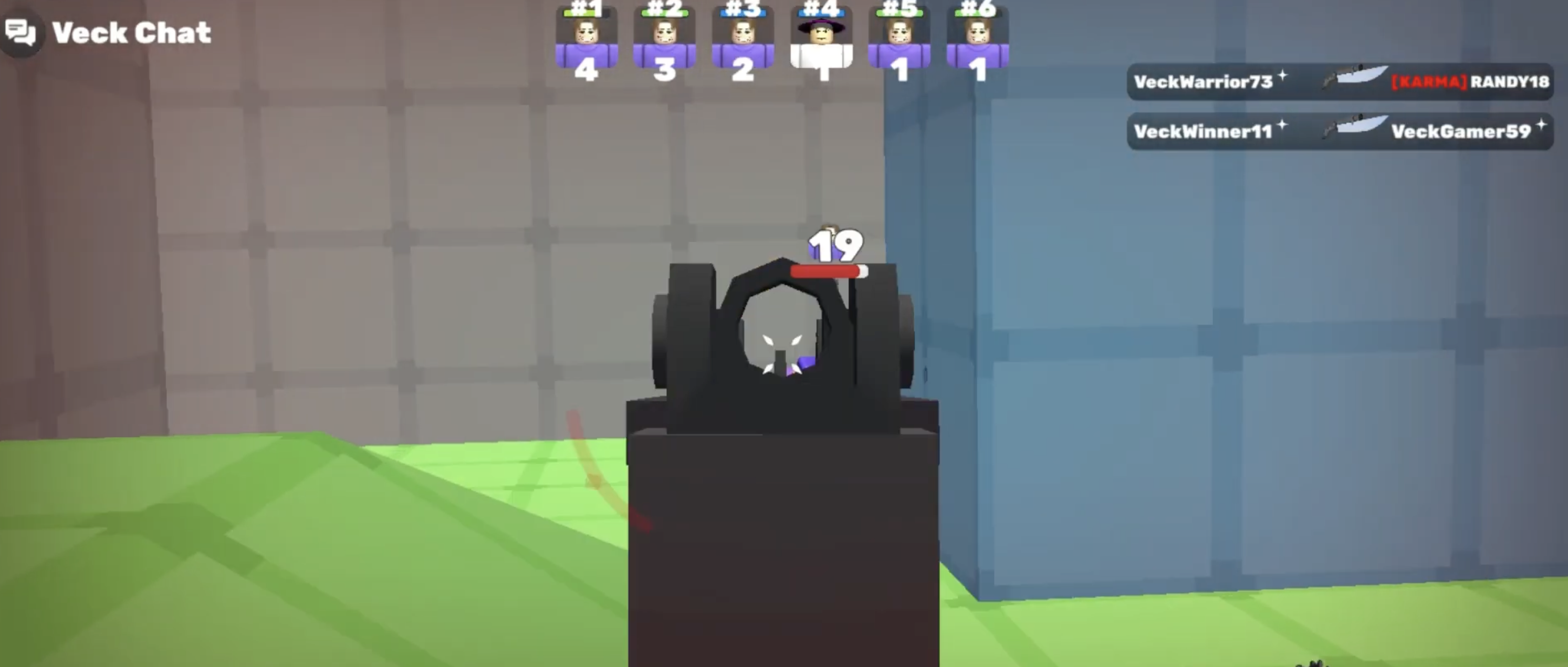
Aiming During the Sliding Sequence
- Pre-aim: Line up your crosshair before you slide so the reticle emerges on target.
- Jump Snap: Fire during the micro-stability window as you jump out of the slide. Works best with high-ROF SMGs.
IV. Movement in Competitive Veck IO Modes
1v1 Duels
Use Slide-Cancel defensively to break tracking and steal first-shot advantage.
4v4 Team Combat
Chain slides for aggressive rotations, map control, and spawn control momentum.
Gun Game
Close distance quickly to bypass weak weapons and secure fast eliminations.
V. Advanced Techniques & Practice Routines
Daily Practice Loop
- Slide-Cancel Chain (5 mins): In an empty lobby, chain 10 uninterrupted Sprint → Slide → Jump loops and focus on max speed.
- Corner Snap Drill (5 mins): Ghost Slide a chosen corner and snap to a placed target until crosshair placement feels automatic.
Flow State & Map Knowledge
Moving faster than the enemy can respond forces guesswork and grants you surprise angles. Master sliding to dictate pacing, then layer map knowledge to stay unpredictable.
VI. Conclusion & Next Steps
Movement is central to victory. Practice Slide-Cancels every match to see immediate gains in survivability and K/D. Next, refine your loadout choices and map tactics to round out your edge.
Quick FAQ on Veck IO Movement
| Question | Answer |
|---|---|
| Does Slide-Cancel improve accuracy? | It creates a brief stability window after the jump—perfect for accurate shots while evading. |
| What is Spawn Control? | Using speed to occupy key zones so enemies respawn farther away, giving your team momentum. |
| Best movement settings? | Use a sensitivity that lets you snap during slides, and bind Slide to an easy key for nonstop use. |